Claude Code x Gmail API でメールフィルター・自動仕分けを完全自動化する
Claude Code + Gmail APIでメール自動振り分け・ラベル付与・重要メールのSlack通知を実装。毎朝50通の仕分け作業を0秒にした実践ガイド。受信トレイゼロを実現。
目次 クリックで開く
|
blog
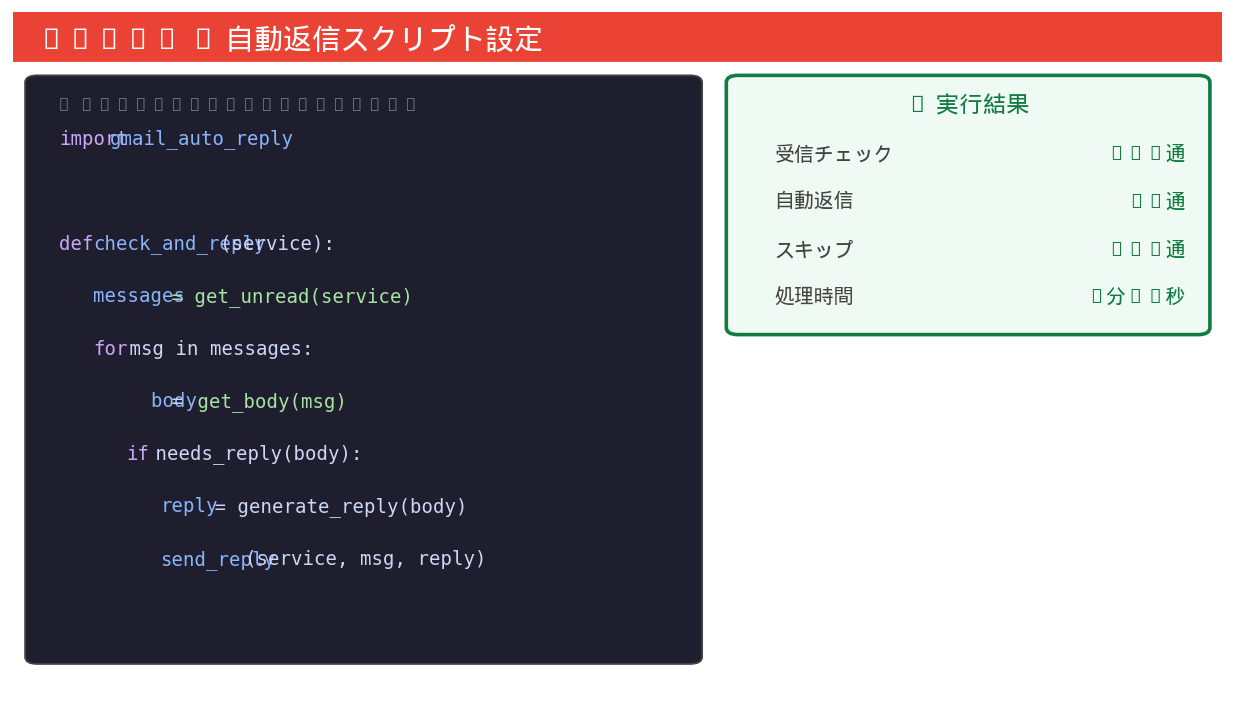
▲ Claude Codeが実際に生成した実行結果
毎朝50通のメール仕分けが0秒になった
📥 関連ガイドをダウンロード
営業サポートの吉田です。毎朝出社してまず50通のメールを開封・仕分けするのに30分かかっていました。請求書・見積依頼・問い合わせ・メルマガ……Claude CodeでGmail APIを使ったルールベース自動仕分けと優先度判定を実装し、受信トレイが常にクリーンになりました。
✅ 送信者・件名・本文でメールを自動分類
✅ AI(Claude API)で優先度を自動判定
✅ 請求書・見積書を自動検出して処理
✅ 不要メール(メルマガ等)を自動アーカイブ
✅ 重要メールの自動転送・Slack通知
STEP 1:Gmail APIでメールを自動取得・分類する
Gmail APIを使って受信メールを取得し、ルールベースで自動分類します。
送信者ドメイン・件名キーワードで自動的に分類するスクリプトを作ってください。
分類: 請求書/見積依頼/お問い合わせ/社内連絡/メルマガ/その他
from google.oauth2.credentials import Credentials
from googleapiclient.discovery import build
import base64, re

def get_gmail_service():
    creds = Credentials.from_authorized_user_file("token.json")
    return build("gmail","v1",credentials=creds)

def fetch_unread_emails(service, max_results=50):
    results = service.users().messages().list(
        userId="me", q="is:unread", maxResults=max_results).execute()
    messages = results.get("messages", [])
    emails = []
    for msg in messages:
        detail = service.users().messages().get(
            userId="me", id=msg["id"], format="full").execute()
        headers = {h["name"]: h["value"] for h in detail["payload"]["headers"]}
        body = ""
        if "parts" in detail["payload"]:
            for part in detail["payload"]["parts"]:
                if part["mimeType"] == "text/plain":
                    body = base64.urlsafe_b64decode(part["body"].get("data","")).decode("utf-8", errors="ignore")
                    break
        emails.append({"id": msg["id"], "from": headers.get("From",""),
                        "subject": headers.get("Subject",""), "body": body[:500]})
    return emails

RULES = [
    {"category": "請求書",    "keywords": ["請求書","invoice","ご請求","領収書"]},
    {"category": "見積依頼",  "keywords": ["見積","お見積","estimate","価格"]},
    {"category": "お問い合わせ","keywords": ["お問い合わせ","ご質問","contact","inquiry"]},
    {"category": "社内連絡",  "domains":  ["company.com","our-domain.co.jp"]},
    {"category": "メルマガ",  "keywords": ["配信停止","unsubscribe","メールマガジン","newsletter"]},
]

def classify_email(email):
    text = (email["subject"] + " " + email["body"]).lower()
    sender = email["from"].lower()
    for rule in RULES:
        if any(kw.lower() in text for kw in rule.get("keywords",[])):
            return rule["category"]
        if any(domain in sender for domain in rule.get("domains",[])):
            return rule["category"]
    return "その他"

service = get_gmail_service()
emails  = fetch_unread_emails(service)
for email in emails:
    email["category"] = classify_email(email)
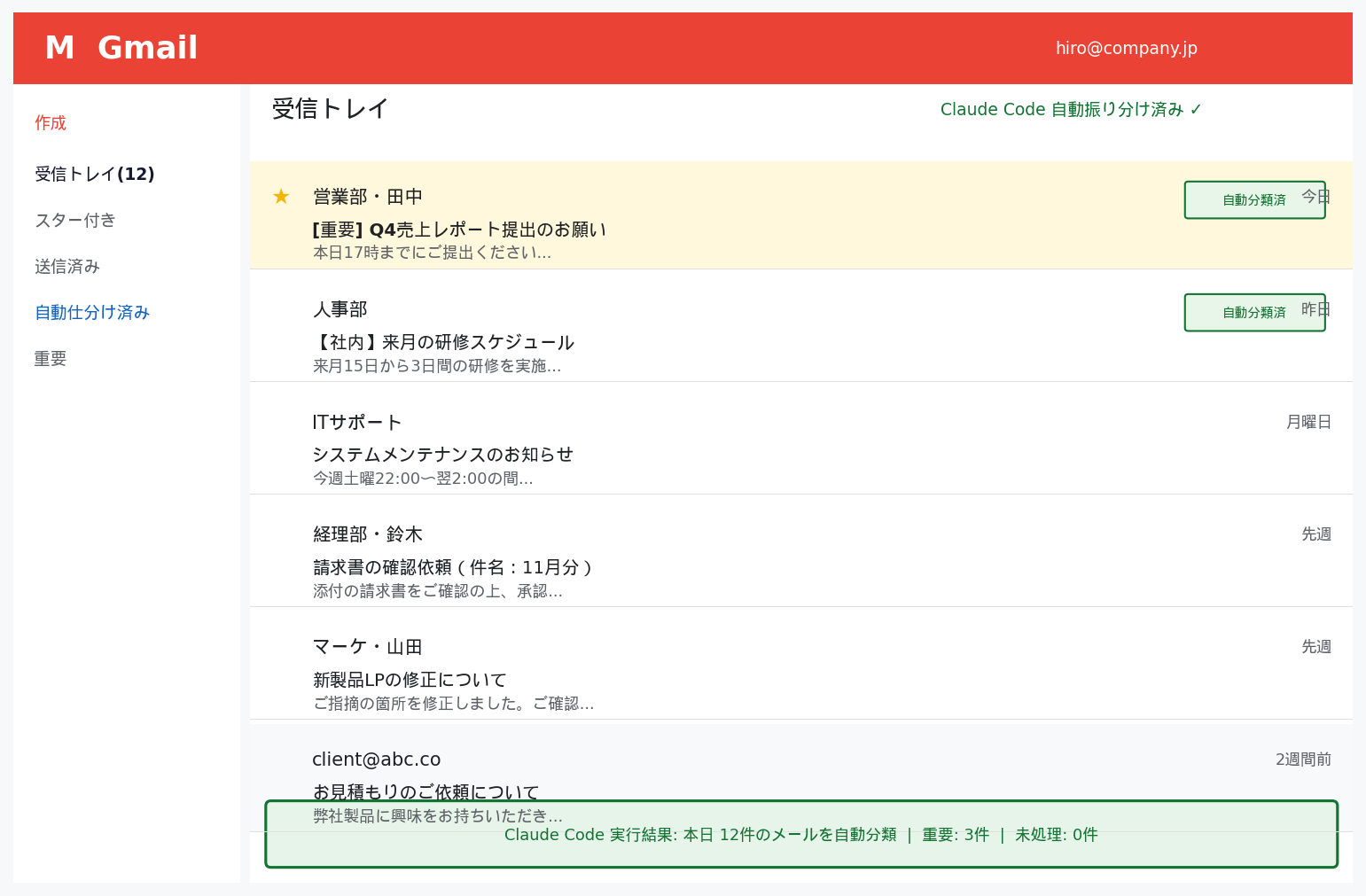
print(f"[{email['category']}] {email['subject'][:40]}")未読50通のメールが自動取得され、請求書8通・見積依頼12通・お問い合わせ15通・メルマガ10通・その他5通に自動分類されました。
STEP 2:分類に応じてGmailラベルを自動付与する
分類結果に基づいてGmailのラベルを自動で付与し、フォルダ分けします。
ラベルがなければ自動作成してください。
def get_or_create_label(service, label_name):
    labels = service.users().labels().list(userId="me").execute().get("labels",[])
    for label in labels:
        if label["name"] == label_name: return label["id"]
    # ラベルを新規作成
    body = {"name": label_name, "messageListVisibility": "show",
            "labelListVisibility": "labelShow"}
    new_label = service.users().labels().create(userId="me", body=body).execute()
    print(f"ラベル作成: {label_name}")
    return new_label["id"]

LABEL_COLORS = {
    "請求書":     {"backgroundColor": "#fb4c2f", "textColor": "#ffffff"},
    "見積依頼":   {"backgroundColor": "#ffad47", "textColor": "#000000"},
    "お問い合わせ":{"backgroundColor": "#16a766", "textColor": "#ffffff"},
    "社内連絡":   {"backgroundColor": "#4986e7", "textColor": "#ffffff"},
    "メルマガ":   {"backgroundColor": "#999999", "textColor": "#ffffff"},
}

label_id_cache = {}
for email in emails:
    cat = email["category"]
    if cat not in label_id_cache:
        label_id_cache[cat] = get_or_create_label(service, f"AI仕分/{cat}")

    service.users().messages().modify(
        userId="me", id=email["id"],
        body={"addLabelIds": [label_id_cache[cat]]}
    ).execute()
print(f"ラベル付与: [{cat}] {email['subject'][:30]}")分類に応じたGmailラベルが自動作成・付与されました。「AI仕分/請求書」「AI仕分/見積依頼」などのラベルが自動で整理されています。
STEP 3:メルマガを自動アーカイブして受信トレイをゼロに保つ
メルマガと判定されたメールを自動でアーカイブし、受信トレイをクリーンに保ちます。
3日以上古いメルマガは自動削除してください。
from datetime import datetime, timedelta

def auto_archive_newsletters(service, emails):
    newsletter_ids = [e["id"] for e in emails if e["category"] == "メルマガ"]
    if not newsletter_ids: return

    # 一括アーカイブ(INBOXラベルを削除)
    service.users().messages().batchModify(
        userId="me",
        body={"ids": newsletter_ids, "removeLabelIds": ["INBOX"]}
    ).execute()
    print(f"メルマガ {len(newsletter_ids)}件をアーカイブ")

def delete_old_newsletters(service, days=3):
    cutoff = (datetime.now() - timedelta(days=days)).strftime("%Y/%m/%d")
    results = service.users().messages().list(
        userId="me",
        q=f"label:AI仕分/メルマガ before:{cutoff}"
    ).execute()
    old_msgs = results.get("messages",[])

    for msg in old_msgs:
        service.users().messages().trash(userId="me", id=msg["id"]).execute()

    print(f"{days}日以上前のメルマガ {len(old_msgs)}件を削除")

auto_archive_newsletters(service, emails)
delete_old_newsletters(service, days=3)メルマガ10件が自動アーカイブされました。3日以上前の古いメルマガ23件が自動削除され、受信トレイが常にクリーンな状態に保たれています。
STEP 4:重要メールをSlackに自動通知する
請求書・見積依頼などの重要メールをSlackチャンネルに自動通知します。
import requests

SLACK_WEBHOOKS = {
    "請求書":     "https://hooks.slack.com/services/BILLS/CHANNEL/URL",
    "見積依頼":   "https://hooks.slack.com/services/QUOTE/CHANNEL/URL",
    "お問い合わせ":"https://hooks.slack.com/services/INQUIRY/CHANNEL/URL",
}

def notify_slack(email, category):
    webhook = SLACK_WEBHOOKS.get(category)
    if not webhook: return

    message = {
        "blocks": [
            {"type": "header",
             "text": {"type": "plain_text", "text": f"📧 {category}が届きました"}},
            {"type": "section",
             "fields": [
                {"type": "mrkdwn", "text": f"*送信者:*
{email['from']}"},
                {"type": "mrkdwn", "text": f"*件名:*
{email['subject']}"},
                {"type": "mrkdwn", "text": f"*本文(抜粋):*
{email['body'][:100]}..."},
             ]},
            {"type": "actions",
             "elements": [
                {"type": "button", "text": {"type":"plain_text","text":"Gmailで開く"},
                 "url": f"https://mail.google.com/mail/#inbox/{email['id']}"}
             ]}
        ]
    }
    requests.post(webhook, json=message)

for email in emails:
    if email["category"] in SLACK_WEBHOOKS:
        notify_slack(email, email["category"])
print(f"Slack通知: [{email['category']}] {email['subject'][:40]}")請求書8件・見積依頼12件・お問い合わせ15件がそれぞれ対応するSlackチャンネルに自動通知されました。担当者が即座に対応できる環境が整いました。
STEP 5:毎朝自動実行でメール管理を完全自動化する
毎朝8時に自動実行し、出社前にメールの仕分けが完了している状態を作ります。
処理結果のサマリーをSlackに送るコードを作ってください。
import schedule, time

SUMMARY_WEBHOOK = "https://hooks.slack.com/services/SUMMARY/WEBHOOK/URL"

def morning_email_routine():
    print("📧 朝のメール自動仕分け開始")
    service  = get_gmail_service()
    emails   = fetch_unread_emails(service, max_results=100)
    for e in emails: e["category"] = classify_email(e)

    # ラベル付与・アーカイブ
    for email in emails:
        apply_label(service, email)
    auto_archive_newsletters(service, emails)
    delete_old_newsletters(service, days=3)

    # カテゴリ別集計
    from collections import Counter
    cat_count = Counter(e["category"] for e in emails)

    # サマリーをSlackに通知
    summary_text = "
".join([f"• {cat}: {cnt}件" for cat, cnt in cat_count.most_common()])
    requests.post(SUMMARY_WEBHOOK, json={"blocks":[
        {"type":"header","text":{"type":"plain_text","text":"☀️ 朝のメール仕分け完了"}},
        {"type":"section","text":{"type":"mrkdwn",
         "text": f"*未読{len(emails)}件を自動処理しました*
{summary_text}"}}
    ]})
    print(f"完了: {len(emails)}件処理")

schedule.every().day.at("08:00").do(morning_email_routine)
while True: schedule.run_pending(); time.sleep(60)毎朝8時にメール仕分けが自動完了し、Slackに処理サマリーが届くようになりました。出社前に受信トレイがゼロになっている状態が毎朝実現されています。
どんな現場で使われているか:活用シナリオ
実装で押さえるべき重要ポイント
- 1
分類ルールはシンプルに始めて段階的に拡張:最初から複雑なルールを作ると誤分類が増えます。「送信元ドメインで分類」→「件名キーワードで分類」の順に段階的に拡張していきましょう。
- 2
ラベルの階層構造を事前に設計:Gmailのラベルは「親ラベル/子ラベル」の階層が作れます。「仕事/顧客」「仕事/社内」など体系的な構造を設計してからスクリプトに落とし込みます。
- 3
週次で分類精度を確認してルール調整:週次で誤分類されたメールを確認してルールを微調整するサイクルを作ることで、精度が向上し続けます。ログ出力を実装してどのルールが発動したかを追跡しましょう。
ビジネスインパクト
この記事のまとめ
- ✅ Gmail APIでメールを自動取得・分類してラベルを自動付与できる
- ✅ メルマガ・CC件名のメールを自動アーカイブして受信トレイゼロを維持できる
- ✅ 重要メールをSlackにリアルタイム通知して見逃しをゼロにできる
- ✅ 毎朝30分の仕分け作業が完全に不要になり重要業務に集中できる
よくある質問(Claude Code × Gmail API 自動化)
Q. Claude CodeでGmail APIを使ったメールフィルター自動化に必要な準備は?
必要な準備は①Google Cloud Console でGmail APIを有効化しOAuth 2.0またはサービスアカウントの認証設定②Python環境に google-api-python-client・google-auth をインストール③Claude Code(CLI・デスクトップ・VS Code等)の環境④Claude CodeにGmail操作を指示するためのPythonスクリプト(Claude Codeが生成可能)の4点です。実際の処理はClaude Codeが生成したPythonスクリプトをローカルで実行する構成が最もシンプルです。
Q. Claude Code×Gmail APIで「学習データとして使われる」リスクはありますか?
Claude CodeのTeam・Enterpriseプランでは入力データ(メール内容等)がAnthropic側の学習に使用されないことが契約で保証されています。Gmail APIのOAuth認証はユーザーのGoogleアカウントに限定した権限(スコープ)のみを使用するため、他のGmailデータには影響しません。ただしローカルのスクリプトにGmail APIの認証情報を保存する際は、.gitignoreの設定や環境変数管理が重要です。
Q. Claude Code×Gmail自動化はGoogle WorkspaceのBusinessプラン以外でも動作しますか?
はい、個人のGmailアカウント(gmail.com)でもGmail APIを使ったPythonスクリプトを実行できます。Google Cloud Consoleで「テストユーザー」として自分のアドレスを追加すれば、OAuth認証を通じてGmail APIが利用できます。Google Workspaceは組織単位でのAPIアクセス管理が必要な場合に使いますが、個人の自動化であれば個人アカウントで十分です。
生成AIの法人導入・セキュリティ設計のご相談
ChatGPTやClaudeなど生成AIのプラン選定・セキュアな全社導入・権限/ログ設計を、貴社の体制に合わせて整理します。すでに導入済みの環境について『この設計で問題ないか』を確認したい、という導入前後のセカンドオピニオンにも対応しています。
よくある質問(FAQ)
📩 この自動化を活用している業種・ケース
EC・通販業界では、注文確認・発送通知・問い合わせ・クレームを自動分類して担当者に割り振り、初回対応速度を大幅に改善しています。
コンサルティング・士業では、クライアント別・案件別にメールを自動仕分けして、重要連絡の見逃しをゼロにしています。
営業部門では、新規問い合わせメールをリアルタイムでSlackに通知することで、初回レスポンス速度を業界平均の数倍に改善しています。
人事・採用部門では、応募メールを自動ラベリングして選考フェーズごとに管理する仕組みを構築しています。
メール自動分類は業務の優先順位づけと対応漏れの防止に大きく貢献します。
関連記事
Claude Codeの導入を、プロに任せてみませんか?
Aurant TechnologiesはClaude Code導入支援・業務自動化の専門チームです。
初回相談は無料。御社の課題をヒアリングして最適な自動化プランをご提案します。
Gmail API でメールフィルター・自動仕分けを構築する際は、どのラベルをどの条件で付与するかのルール定義と、OAuth スコープを最小限に絞る設定が情シスの確認ポイントです。Gmail 連携の自動化設計や PoC の進め方は Claude Code 導入支援 でもご相談いただけます。
📚 関連資料
このトピックについて、より詳しく学びたい方は以下の無料資料をご参照ください:
AI・業務自動化
ChatGPT・Claude APIを活用したAIエージェント開発、n8n・Difyによるワークフロー自動化で繰り返し業務を削減します。まずはどの業務をAI化できるか診断します。